






Best Suited For
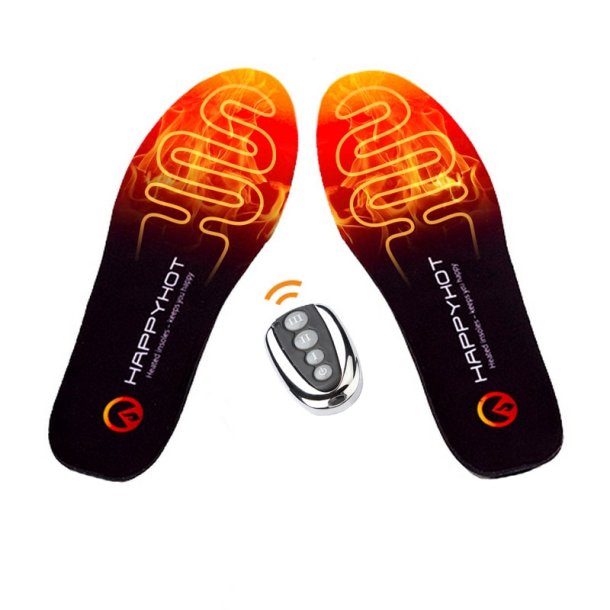
Happyhot heated insoles are ideal for hunters, skiers, cyclists, equestrians, and anyone spending long periods outdoors in the cold—both stationary and during active use. They fit most types of shoes and boots. For optimal comfort, it is recommended to remove the shoe's original insoles before use if possible.
Included in the Package
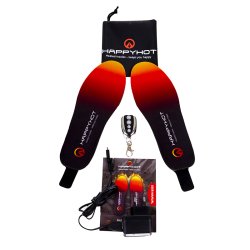
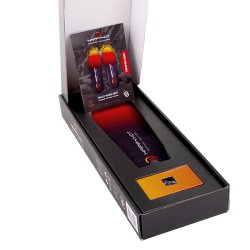
- 1 pair of Happyhot heated insoles
- 1x Remote control - also available here
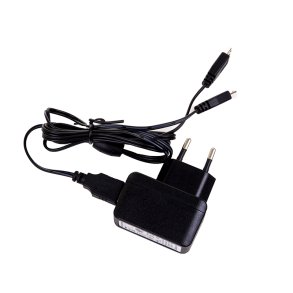
- 1x 230V USB charger - also available here
- 1x Storage pouch
- User manual - also available here
Size guide
The insoles are available in two base sizes and can easily be trimmed along the marking lines on the underside:
- Size 35-40
- Size 41-46
Use your existing insoles as a template when trimming for the best fit. Never cut below the lowest line, as this may damage the heating elements.
Maintenance
The insoles are not washable. Clean them with a damp cloth and allow them to air dry. The insoles are water-resistant but not waterproof—if submerged, the battery must be disconnected and the insoles air-dried before the next use or charge. Store the insoles fully charged in a clean, dry place when not in use. Do not let the battery discharge completely—recharge at least every 6 months.
How to Use Your Heated Insoles
- Charging: Start by charging the insoles. Always insert the charging plug carefully. After approx. 4 hours, the LED light inside the insoles will turn solid green, indicating they are fully charged.
- Activation: Press and hold the ON/OFF button on the side of the insole for approx. 3 seconds to power on.
- Heat Levels: Briefly press the ON/OFF button to switch heat levels. The button color indicates the selected level:
- Red: High heat (>3.5 hours)
- Blue: Medium heat (>4.5 hours)
- Green: Low heat (>8 hours)
Battery Status
Turn off the insoles with the remote to read the battery level via the LED light:
- Flashing Red = 0-33%
- Flashing Blue = 34-66%
- Flashing Green = 67-100%
Remote Control: Use the remote to adjust the heat level or turn off the insoles (standby mode). To turn them off completely, hold the ON/OFF button on the insoles for 3 seconds.
Specifications
- Sizes: 35-40, 41-46 (trim to fit)
- Weight: 130 grams per insole
- Thickness: 5-14 mm
- Battery: 1800 mAh Li-ion, 3.7V / 6.66Wh
- Heating Time: 3.5–8 hours
- Charging Time: Approx. 4 hours
- Charging: USB (230V charger included)
- Charge Cycles: 500+
- Water-resistant: Yes (not waterproof)
- Antibacterial: Yes
- Control: Remote control or manual button
- Certifications: CE, RoHS
- Design: Designed in Denmark
Safety Information
- Never disassemble, modify, or repair the insoles yourself.
- Use only manufacturer-approved chargers and accessories.
- The insoles are water-resistant, not waterproof—never submerge them in water. The charger must also be kept away from water.
- Avoid temperatures above 80 °C; batteries may explode at high temperatures.
- Keep the insoles out of reach of small children, as they contain small parts that could be swallowed.
- Always turn off the insoles when they are not in use or under supervision.
- Dispose of batteries in accordance with local regulations for electronics and batteries.
| Title | Type | Size | Download |
|---|---|---|---|
| HappyHot_insoles_brugermanual_marts23_screen2.pdf | 863.44KB | Download |

Customers who bought this product also bought